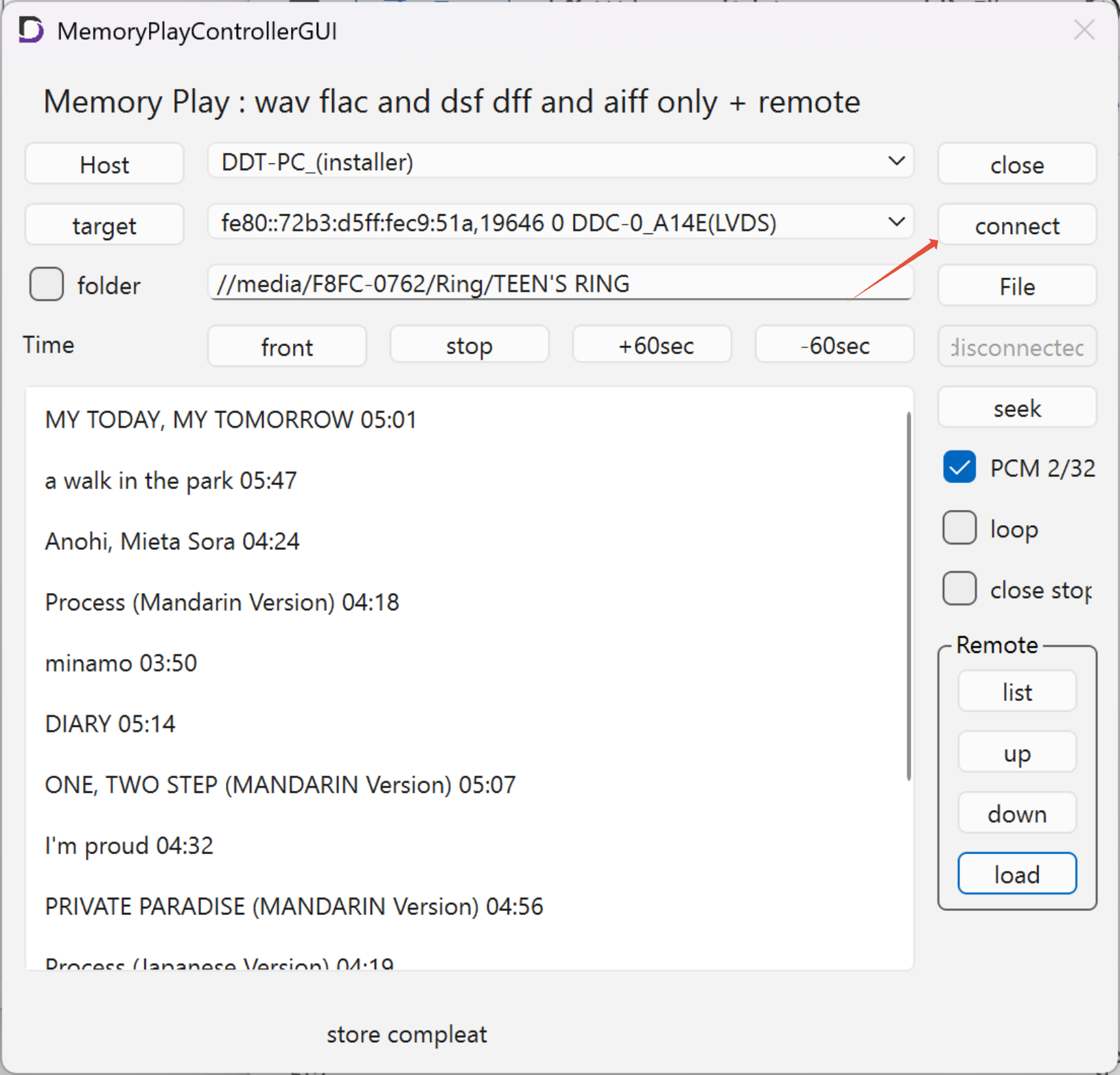
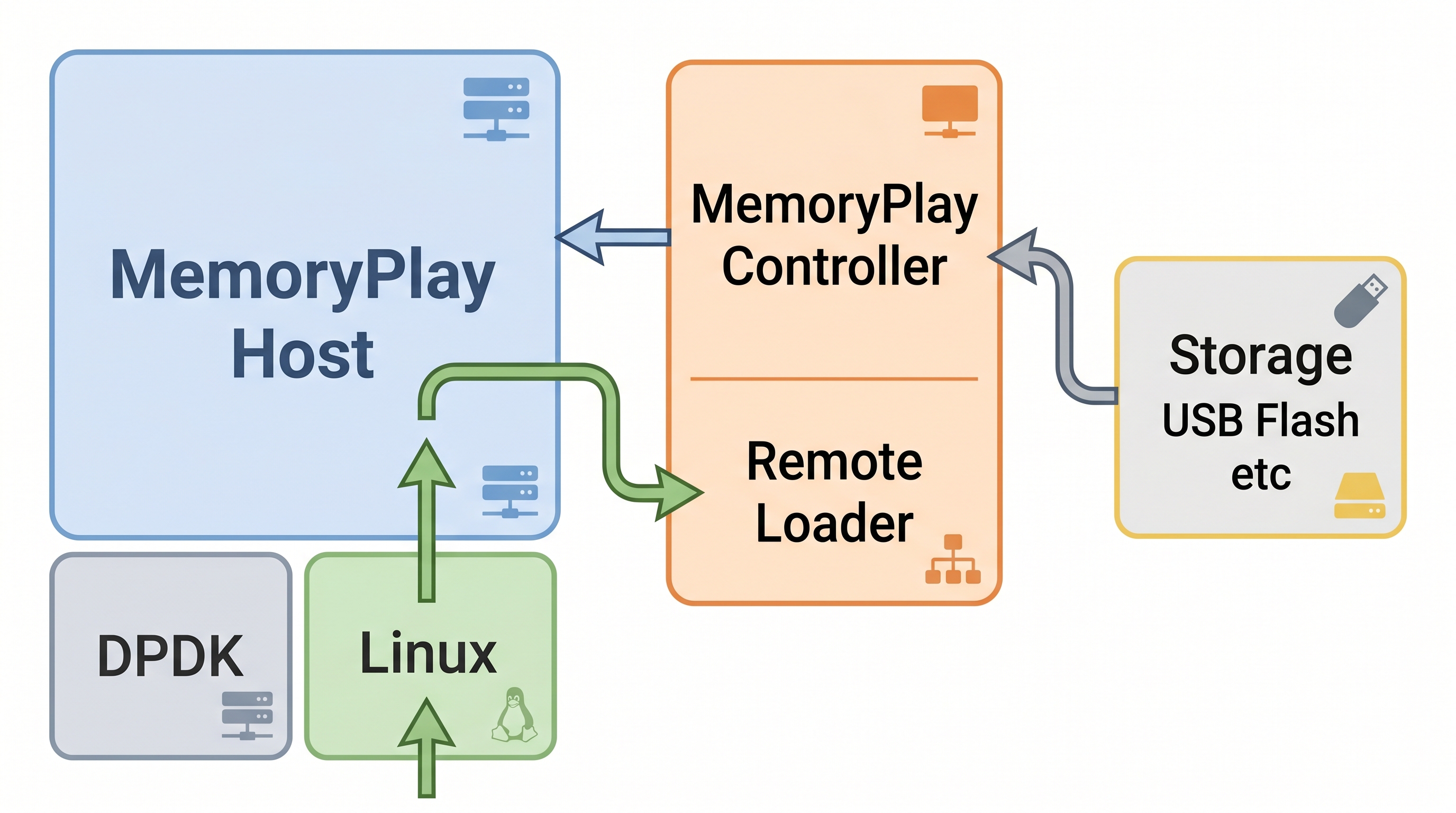
Remotely control the MemoryPlayController to load content from the storage on the HostPC onto the MemoryPlayHost
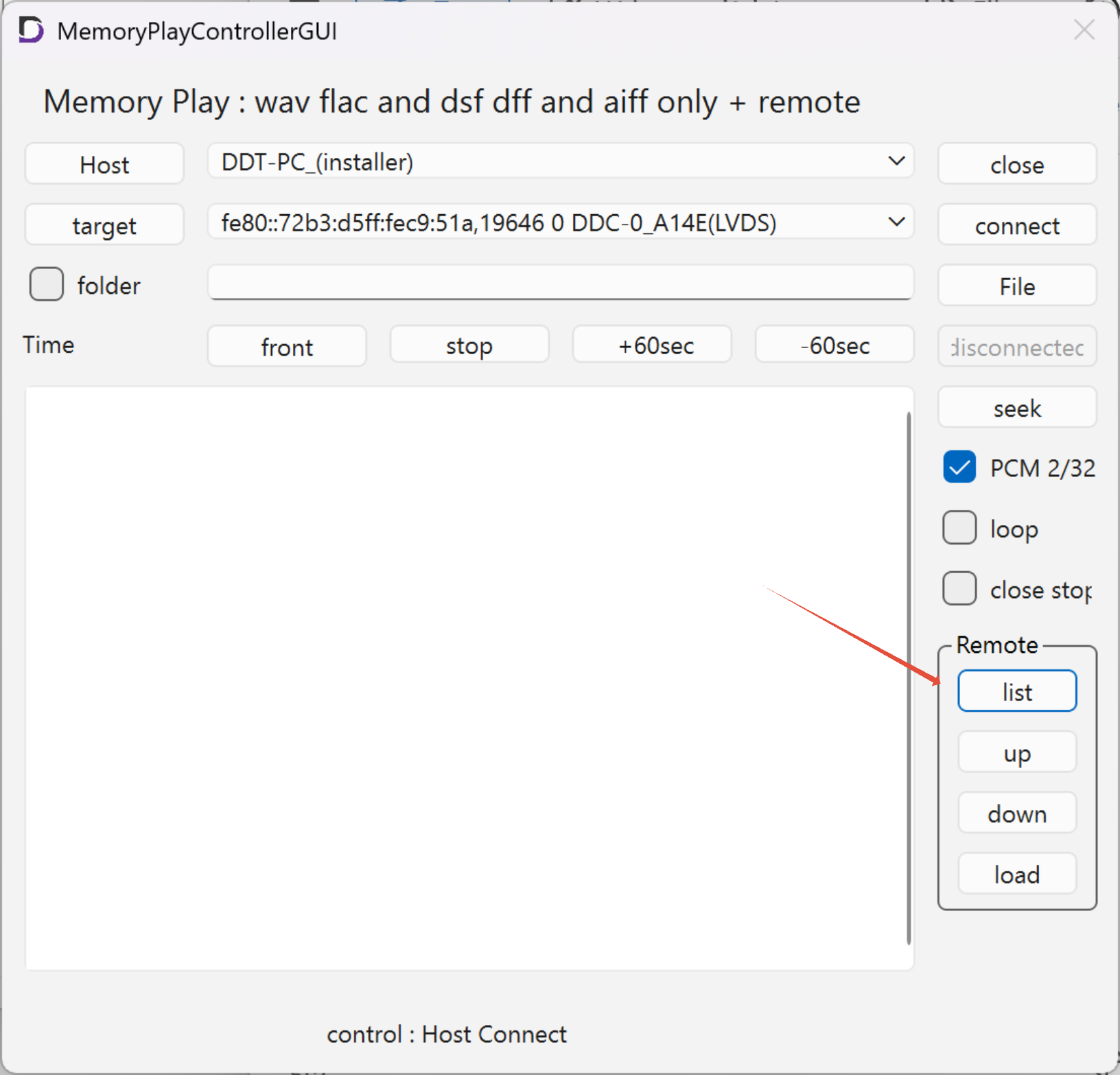
Tapping the ‘list’ button in Remote switches the display to show the list of files in the current directory in RemoteLoader.
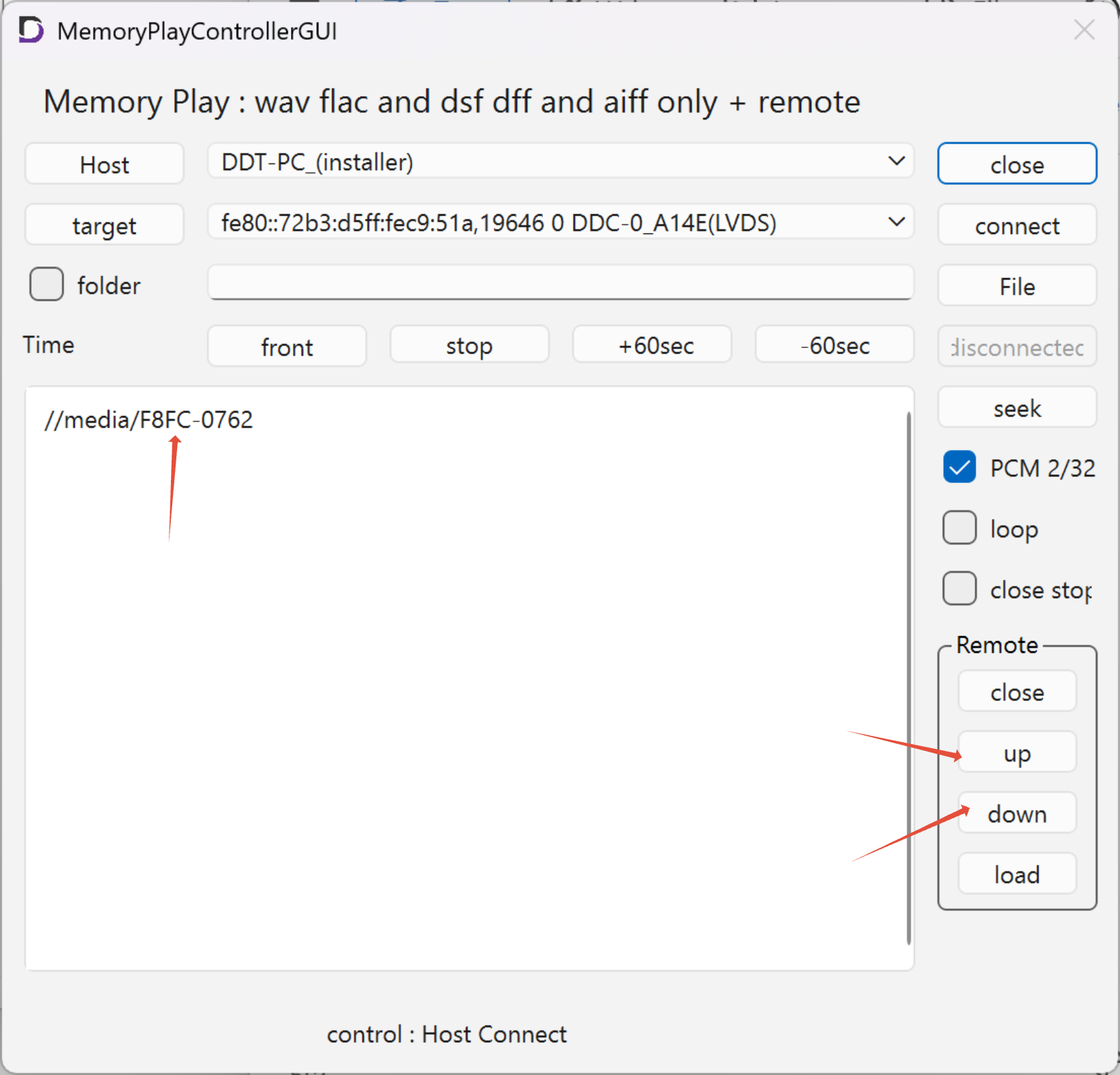
Double-clicking or pressing the Down button will move the current directory to the selected folder.
Press the UP button to go to the parent directory
Mounted media is displayed in the UUI directory
Select a folder or file and click the ‘Load’ button to load the audio data into MemoryhPlayHost.
No connection will be made to Target at this stage
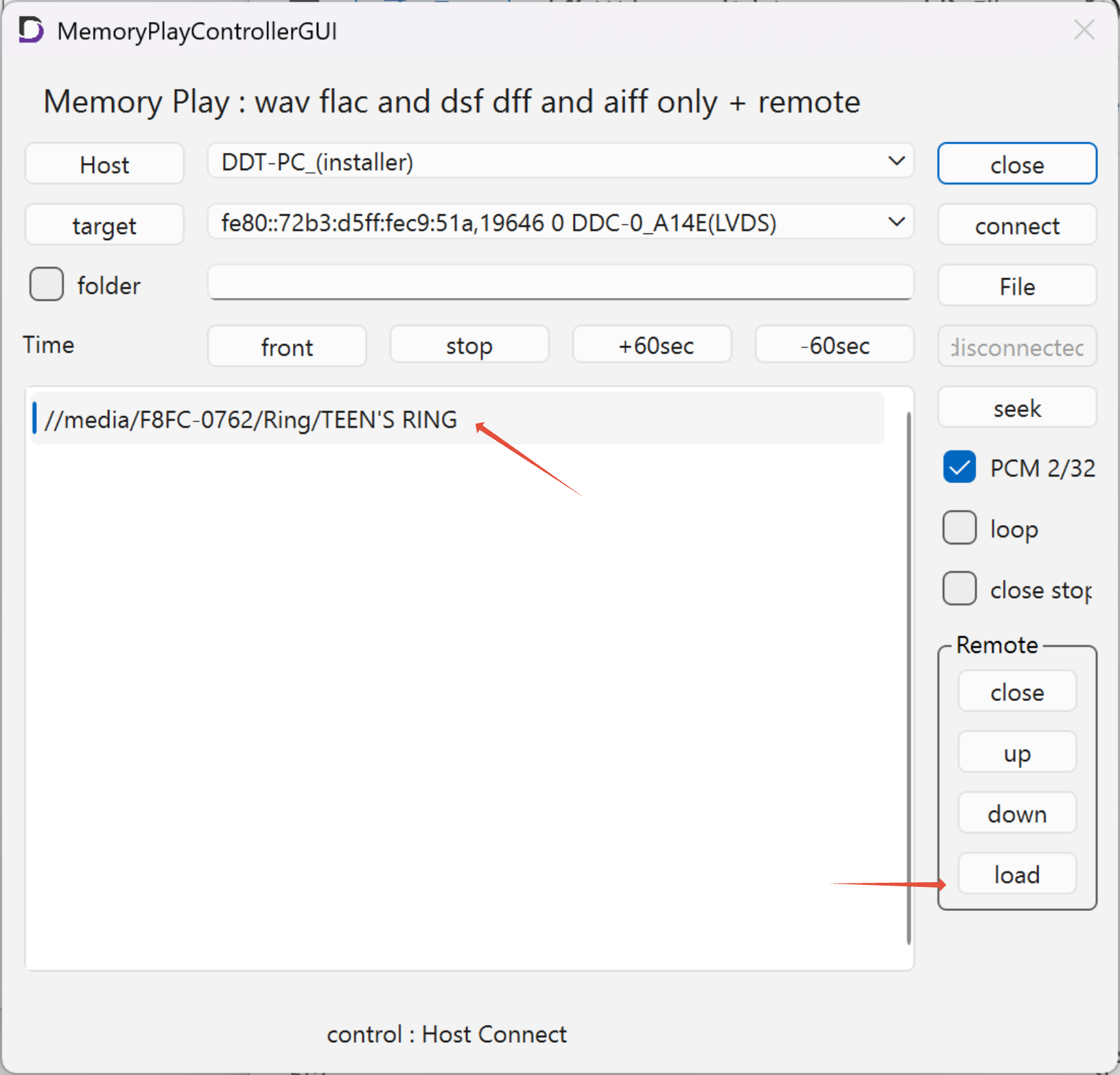
Once loading is complete, the RemoteLoader session will end.
You can then check the loaded content and press ‘connect’ to connect to the Target, at which point playback will begin.