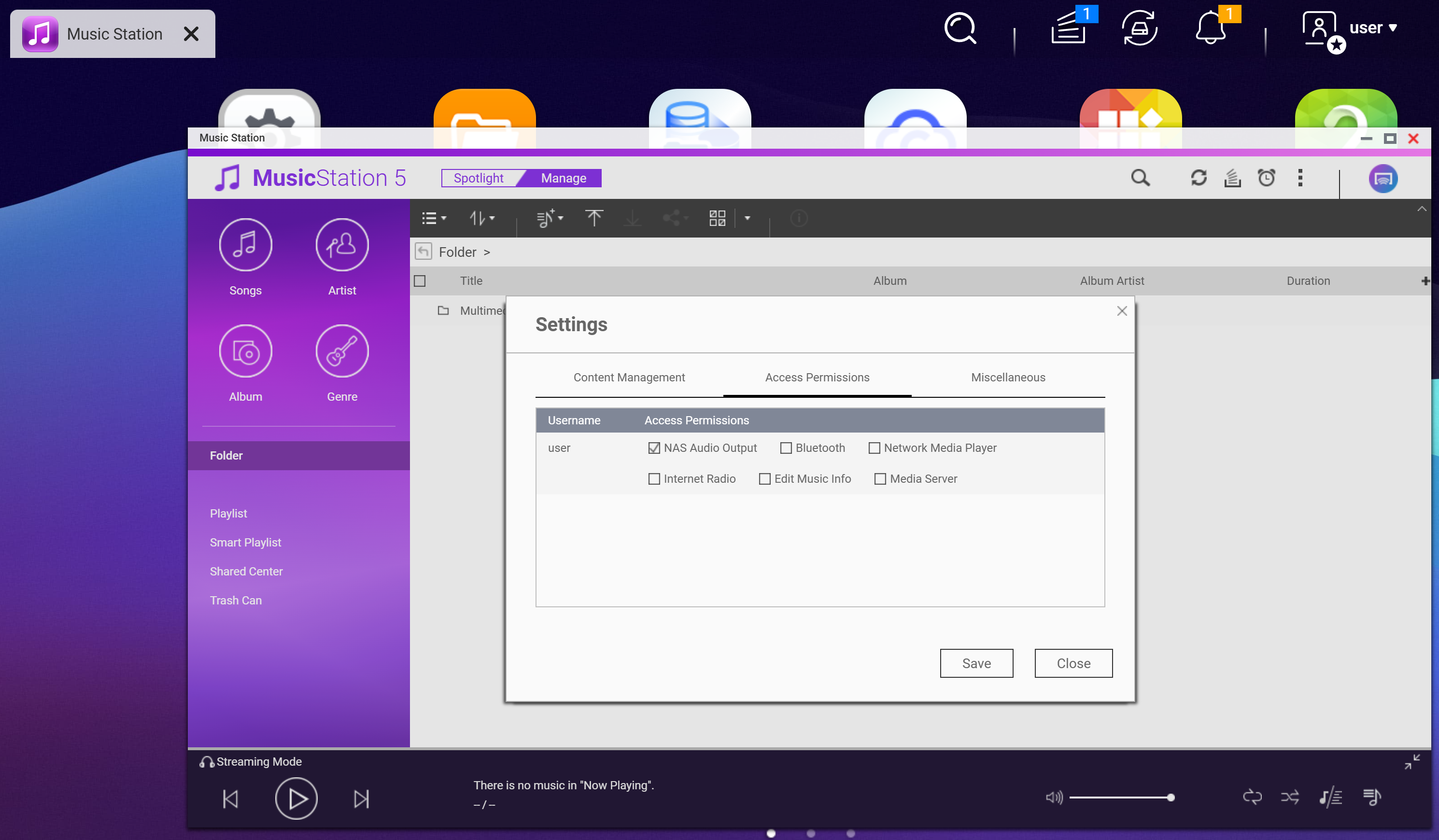
Test Case QNAP TS-233 QTS 5.2.3

Get QNAO Kernel and Compiler
https://sourceforge.net/projects/qosgpl/files/
kernel Code
Select the closest version. Since it's split into multiple files, download each one.
QNAP NAS GPL Source -> QTS 5.2.3 -> QTS_kernel_5.2.3.2025218.Xtar.gz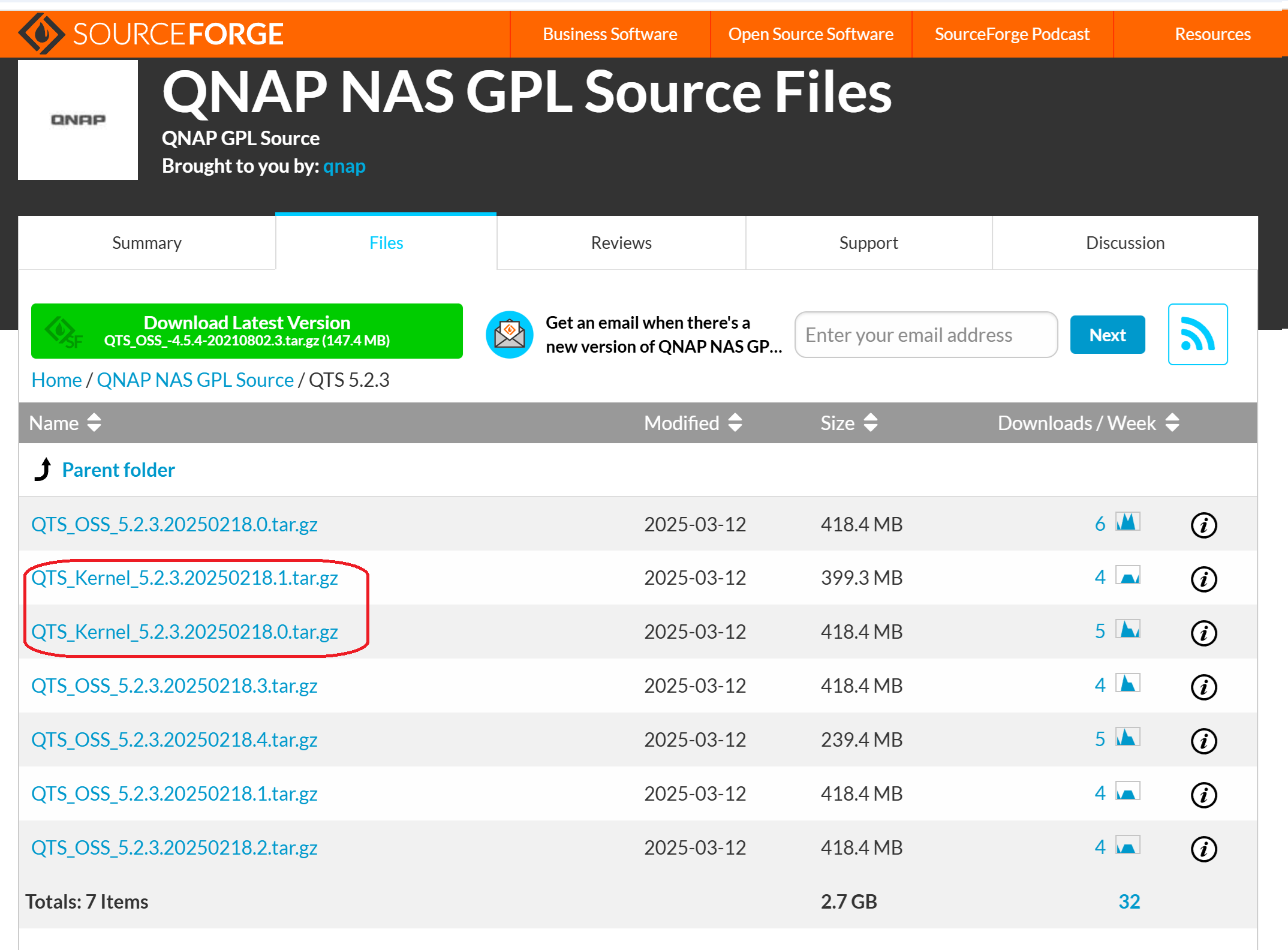
GCC Compiler
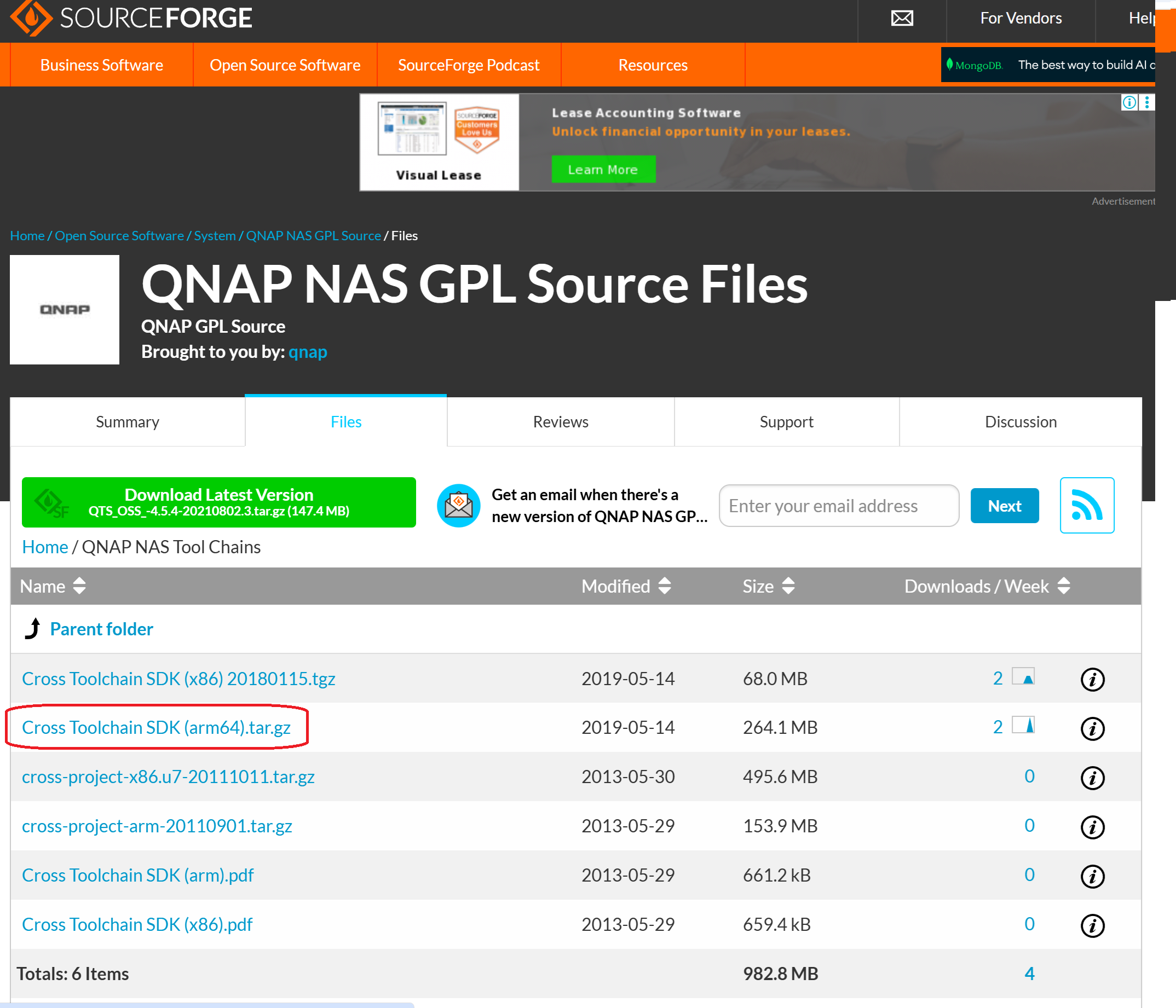
Download the cross-compiler for the CPU in use
QNAP NAS Tool Chains -> Cross Toolchain SDK (arm64).tar.gz
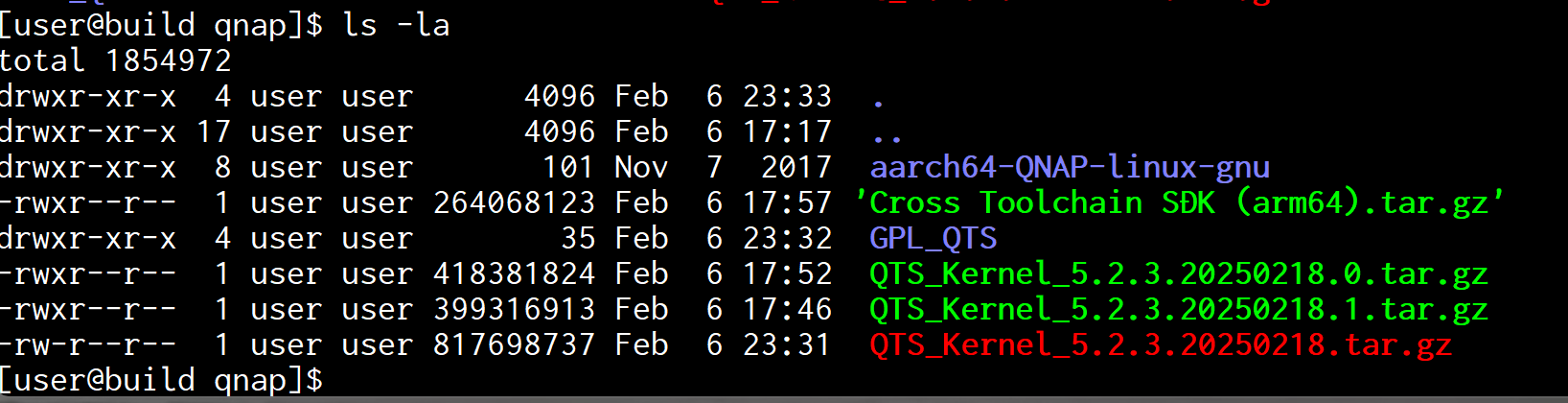
Place it on a suitable x64 Linux system. (Fedora 43)
Combining the split kernel source
cat ./QTS_Kernel_5.2.3.20250218.* > ./QTS_Kernel_5.2.3.20250218.tar.gz
Decompress the kernel code
tar xvf ./QTS_Kernel_5.2.3.20250218.tar.gz
Extract the cross-compiler
tar xvf ./Cross\ Toolchain\ SDK\ \(arm64\).tar.gz
Set environment variables to compile kernel code
export ARCH=arm64
export CROSS_COMPILE=/home/user/qnap/aarch64-QNAP-linux-gnu/bin/aarch64-QNAP-linux-gnu-
Change to the kernel code directory and copy the config file.
cd GPL_QTS/src/linux-5.10/
cp ../../kernel_cfg/TS-X33/linux-5.10-arm64.config ./.config

Execute make to build the kernel. However, since this is to generate symbol information for creating kernel modules, it is not necessary to pursue it with absolute precision.
And several errors occur.
make
Err1
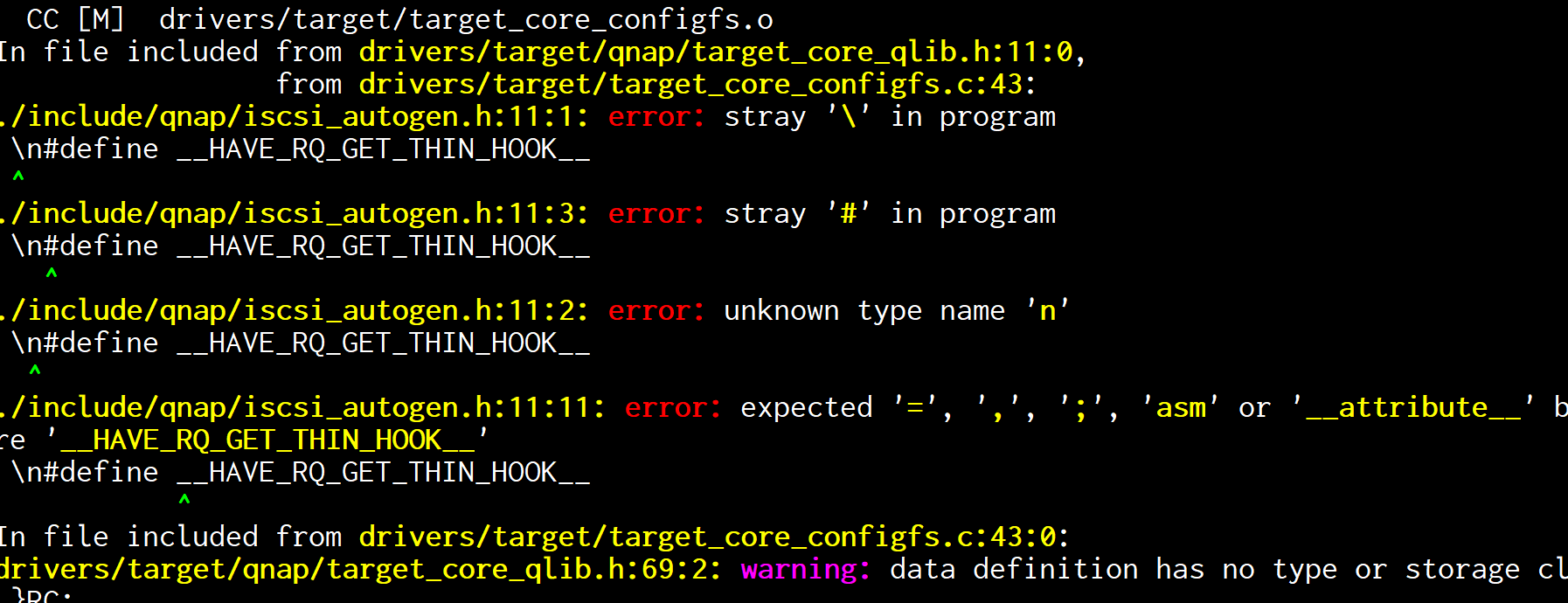
remove \n
vi ./include/qnap/iscsi_autogen.h
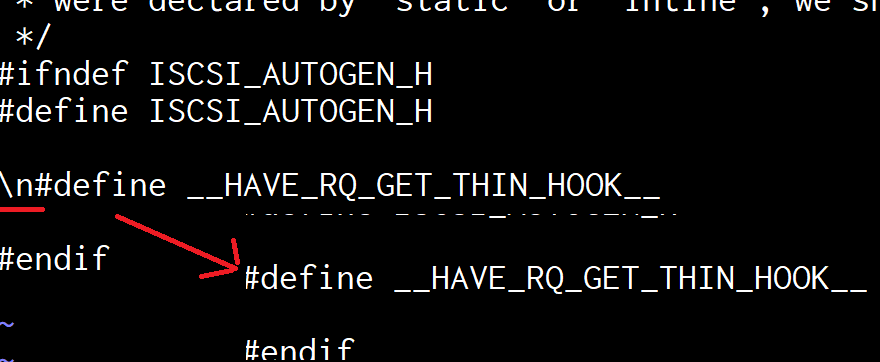
Find the relevant generated code
grep -r iscsi_autogen.h

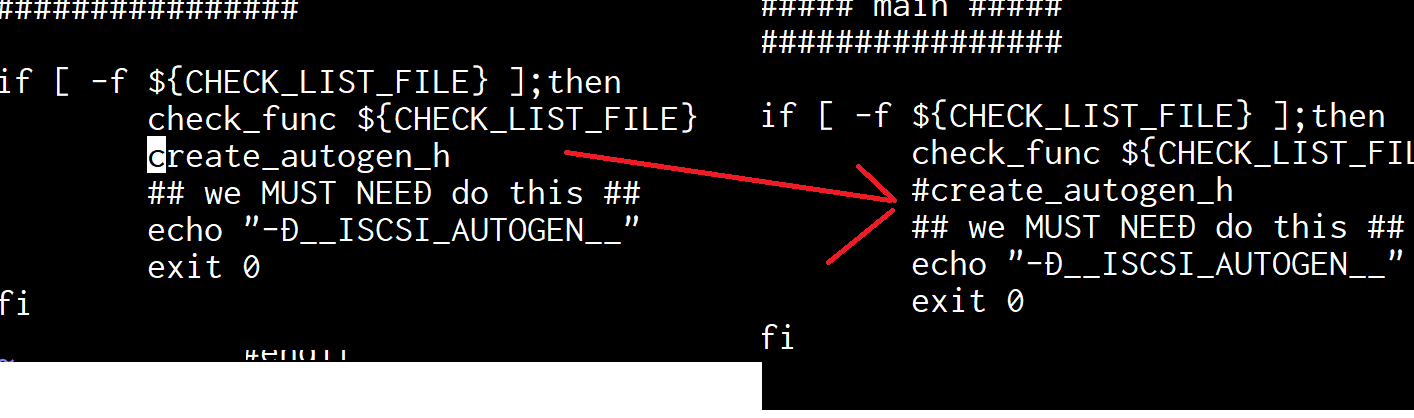
Comment out the generated section
vi drivers/target/qnap/check_func.sh
Err2
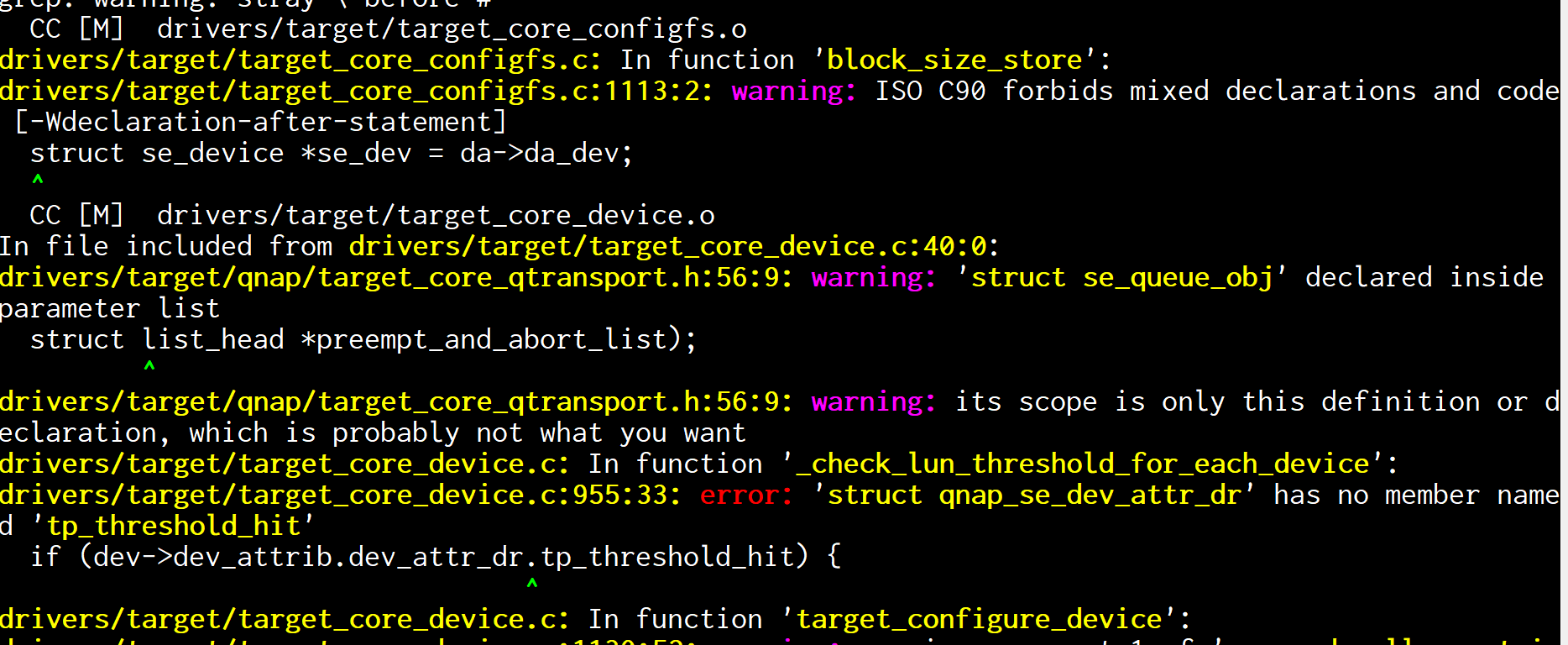
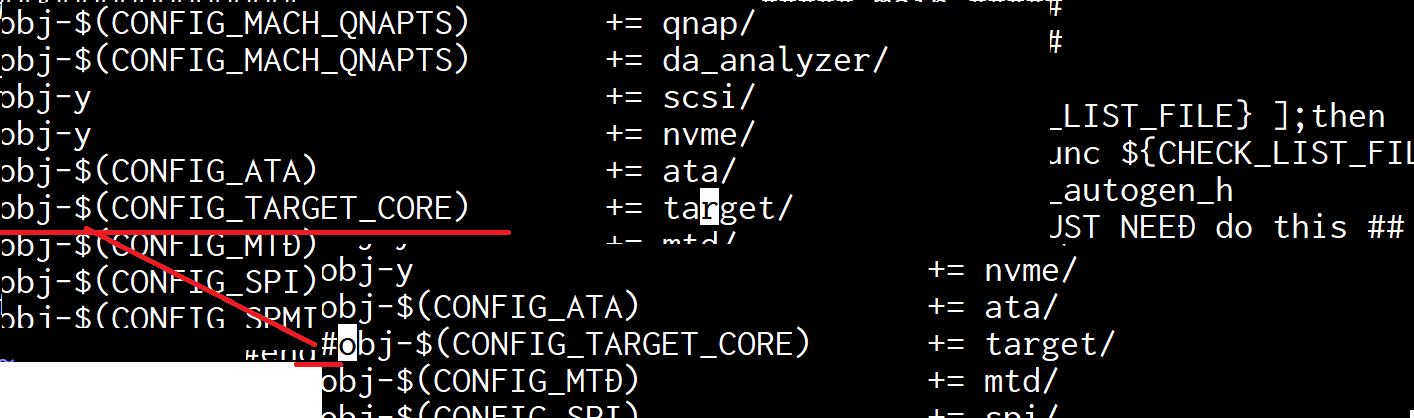
Remove target/ from the build
vi ./drivers/Makefile
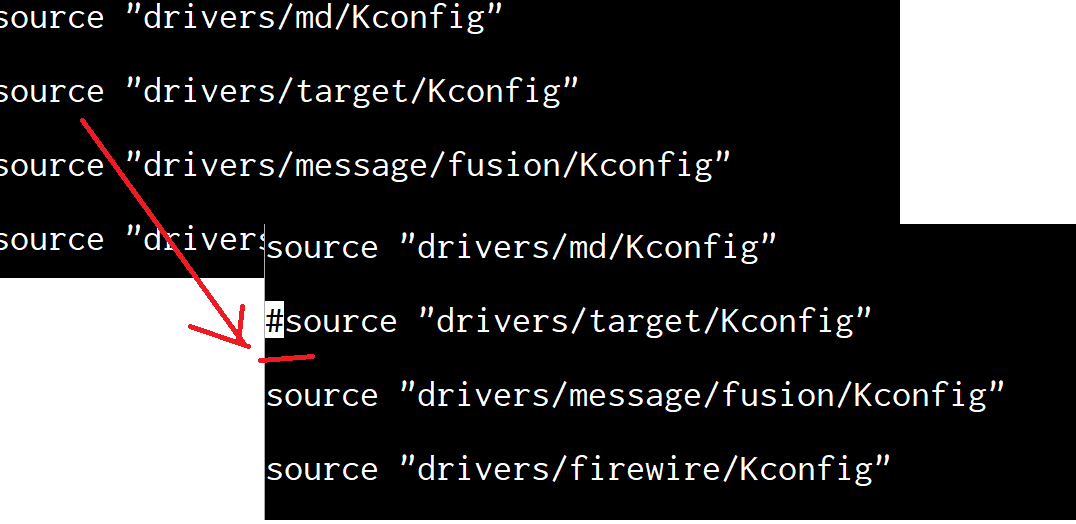
Remove target/ from the config
vi ./drivers/Kconfig
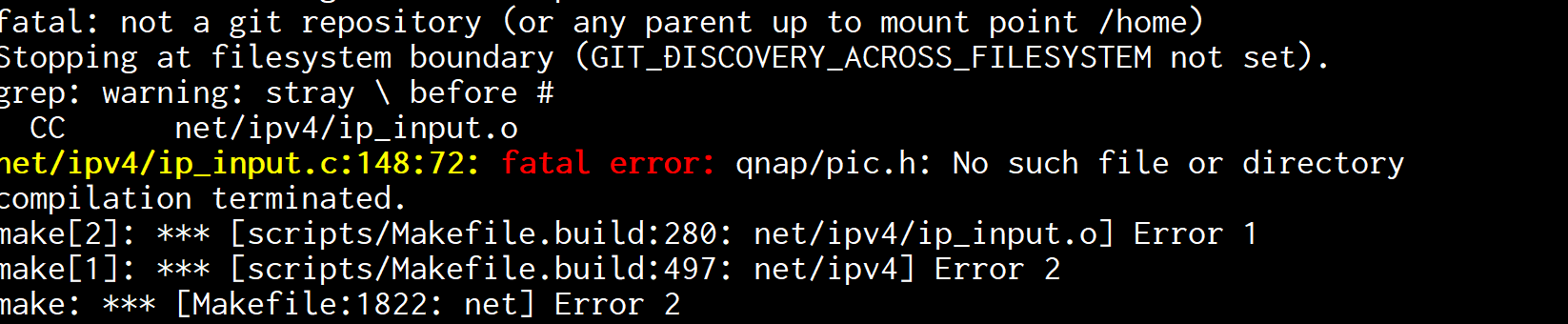
Err3
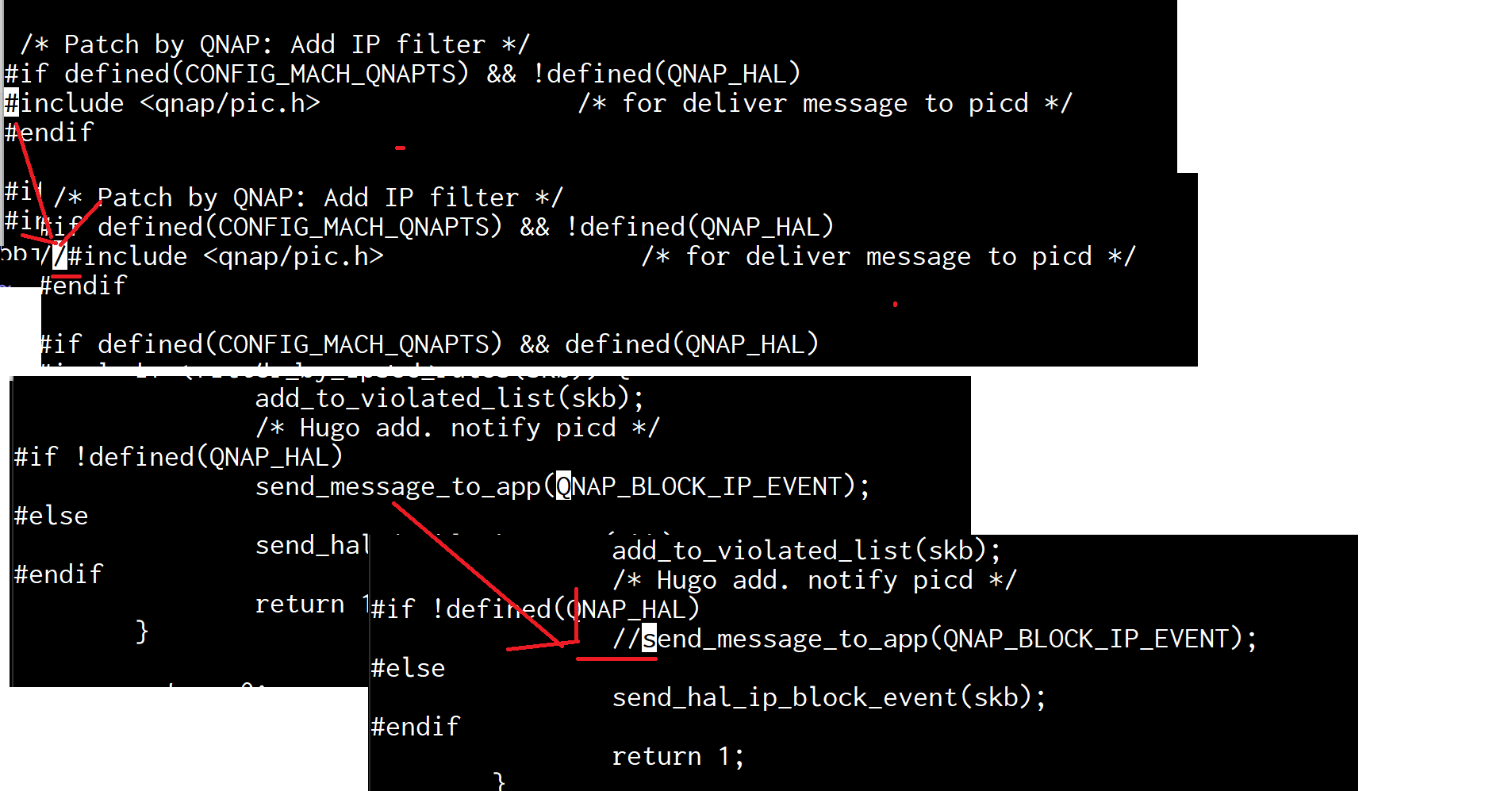
Comment out the error
vi net/ipv4/ip_input.c
build diretta driver
get Diretta Host ALSA
tar xvf DirettaAlsaHost_0_148_8.tar.xz
cd DirettaAlsaHost/
make KERNELDIR=../GPL_QTS/src/linux-5.10/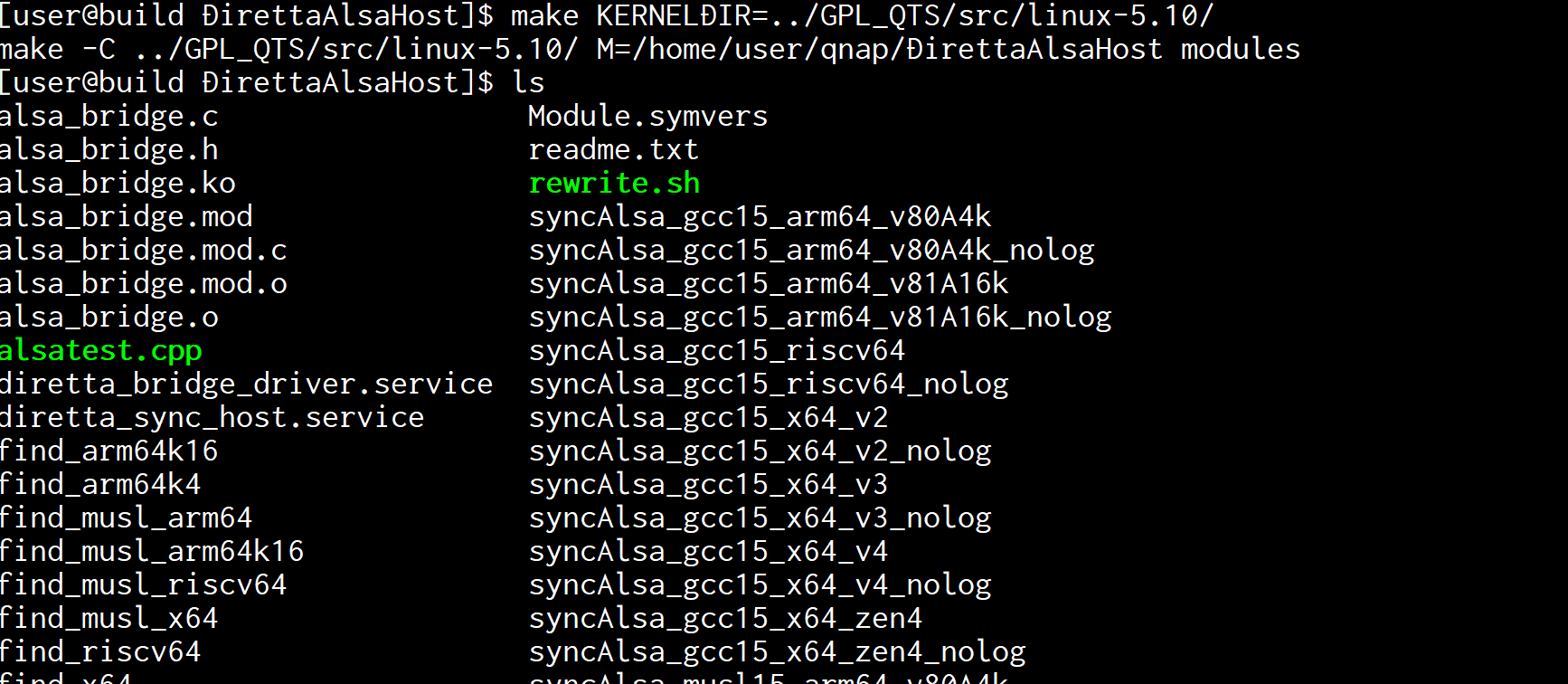
Change settings
vi syncalsa_setting.inf
Debug=enable
alsaUnderrun=disable
disConnectDelay=disable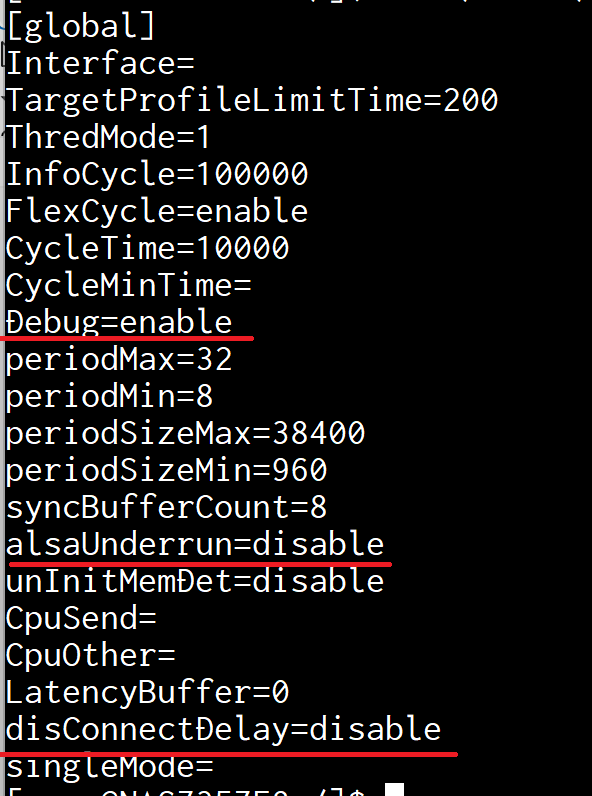
enable QNAP SSH
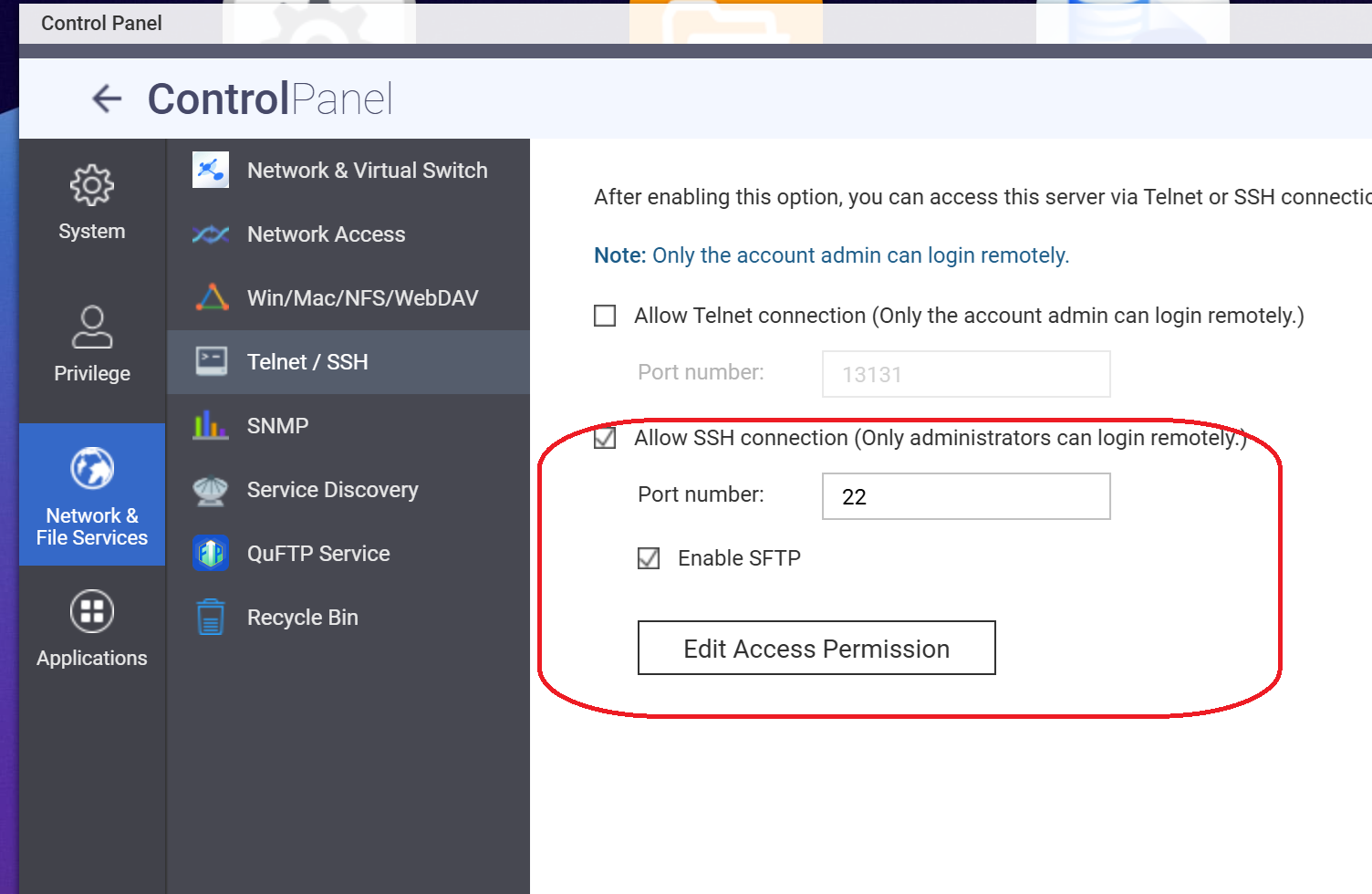
Transfer necessary files to QNAP (SSH) Match the CPU architecture.
ssh user@10.0.0.163 mkdir /share/Public/diretta
scp ./syncalsa_setting.inf user@10.0.0.163:/share/Public/diretta/
scp ./logcatch_arm64k4 user@10.0.0.163:/share/Public/diretta/
scp ./syncAlsa_gcc15_arm64_v80A4k user@10.0.0.163:/share/Public/diretta/
scp ./alsa_bridge.ko user@10.0.0.163:/share/Public/diretta/
Log in to QNAP via SSH
ssh user@10.0.0.163
DirettaHost Execution DAEMON Shell
vi /share/Public/diretta/sync.sh
------------
#!/bin/bash
PATH_OWN=$(cd $(dirname ${BASH_SOURCE:-$0}); pwd)
sleep 30
while true
do
sleep 10
$PATH_OWN/syncAlsa_gcc15_arm64_v80A4k > $PATH_OWN/debug.log
done
------------
DirettaHost startup script
vi /share/Public/diretta/diretta.sh
-----------------
#!/bin/bash
PATH_OWN=$(cd $(dirname ${BASH_SOURCE:-$0}); pwd)
insmod $PATH_OWN/alsa_bridge.ko
$PATH_OWN/sync.sh &
-----------------
Set the root execution permission
sudo chmod 777 /share/Public/diretta/sync.sh
sudo chmod 777 /share/Public/diretta/diretta.sh
sudo chmod 777 /share/Public/diretta/logcatch_arm64k4
sudo chmod 777 /share/Public/diretta/syncAlsa_gcc15_arm64_v80A4k
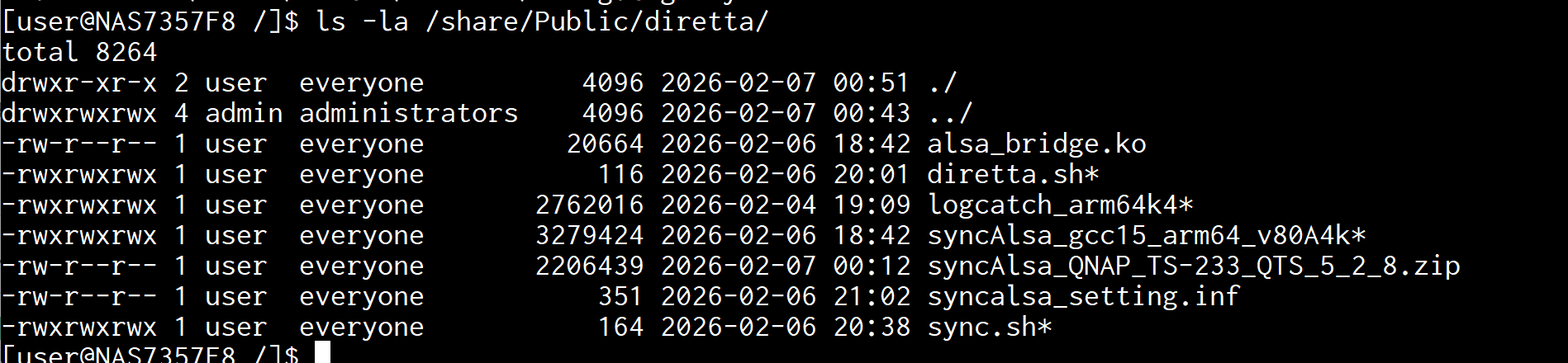
write startup
https://www.qnap.com/ja-jp/how-to/faq/article/running-your-own-application-at-startup
Mount startup partition
sudo mount -t ext2 /dev/mmcblk0p5 /tmp/config
edit autorun
vi /tmp/config/autorun.sh
-----------------
/share/Public/diretta/diretta.sh
-----------------
Set the root execution permission
chmod 777 /tmp/config/autorun.sh
Unmount
sudo umount /tmp/config
insta;; MusicSyation and set Access Permission